Snowfall Outline Icon: A Practical Guide for Designers and Developers
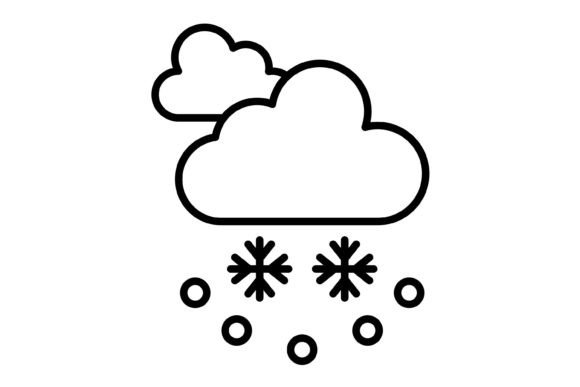
The Snowfall Outline Icon set represents a specific aesthetic choice in the world of digital design. It is a collection of 100 vector graphics characterized by a minimalist, line-art style. Unlike solid or filled icons, these outlines offer a lighter visual footprint, making them suitable for modern, airy interfaces. This guide is intended for designers, developers, and content creators evaluating whether this specific icon pack aligns with their technical requirements and project goals.
Understanding the Asset Specifications
When evaluating an icon pack for professional use, the technical composition of the files is the first consideration. The Snowfall Outline Icon set is distributed as a compressed package containing five distinct file formats: AI, EPS, JPG, PNG, and SVG.
The inclusion of AI (Adobe Illustrator) and EPS (Encapsulated PostScript) files makes this set particularly robust for print workflows and advanced vector editing. These formats allow designers to modify individual anchor points, change stroke weights, or alter colors at a granular level without degrading image quality.
For digital application, the SVG (Scalable Vector Graphics) format is the industry standard. SVGs are code-based, meaning they load quickly and scale perfectly across any screen resolution. This is crucial for responsive web design where elements must adapt to different viewport sizes. The PNG files included in the pack feature a transparent background, which is essential for layering icons over complex images or colored backgrounds in presentation software like PowerPoint or Keynote. Finally, JPG files are provided for contexts where transparency is not required and file size constraints are strict, though they lack the scalability of vector formats.
Evaluating Versatility: Use Cases and Scenarios
The primary value proposition of the Snowfall Outline Icon set is its versatility across multiple platforms. Because the design relies on clean lines rather than heavy fills, it integrates well into a variety of environments.
Web and Mobile Application
In the context of mobile apps and websites, outline icons are often preferred for their non-intrusive appearance. They guide the user without overwhelming the content. The SVG format ensures that these icons remain crisp on high-DPI retina displays, a common requirement for modern iOS and Android development. If your project prioritizes a clean, Scandinavian, or minimalist UI, the Snowfall aesthetic is a strong candidate.
Print and Presentation
For print materials, such as brochures or business cards, vector formats (AI/EPS) are non-negotiable for professional output. The Snowfall Outline Icon pack supports this workflow, allowing for scaling to any size without pixelation. Similarly, in presentations, using high-quality icons can elevate the visual appeal of slides. The transparent PNGs allow these icons to be placed directly onto slide decks with custom backgrounds, maintaining a professional look.
Templates and Illustration
Designers creating templates for sale or internal use often require assets that are easily customizable. Since the source vector files are included, users can adapt the Snowfall Outline Icon set to match specific brand color palettes or style guides. This makes the set a practical foundation for broader illustration projects where a consistent visual language is required.
Decision-Making Factors: Benefits and Tradeoffs
When selecting an icon set, it is important to weigh the benefits against potential limitations. The Snowfall Outline Icon set offers several distinct advantages, but specific project needs may require careful consideration.
Benefits of the Outline Style
The primary benefit is scalability and editability. As a 100% vector-based product, the icons can be resized to fit anything from a favicon to a billboard without losing clarity. The "line" style is also generally easier to edit than complex shaded illustrations; changing the stroke color to match a brand's hex code is a straightforward task in vector software.
Furthermore, the set is described as "ready to use for all devices and platforms." This suggests that the icons are optimized for performance, a key factor in web development where load times impact user experience and SEO rankings.
Considerations and Tradeoffs
While outline icons offer elegance, they can sometimes present usability challenges. At very small sizes, thin lines can become difficult to read or may disappear entirely on low-resolution screens. If your primary use case involves extremely small UI elements (e.g., 12px or 16px), you may need to verify that the line weight of the Snowfall Outline Icon set is thick enough to maintain legibility.
Additionally, while the set includes 100 icons, you must verify that the specific metaphors required for your project are included. An icon pack is only useful if it contains the specific symbols needed to communicate your interface's functions, such as "search," "settings," or "cart."
Strategic Fit: Is It Right for Your Project?
Determining if the Snowfall Outline Icon set is the right choice depends on your project's specific constraints and aesthetic goals.
This set is a strong fit if:
- You are developing a responsive website or mobile app requiring crisp, scalable graphics.
- Your design aesthetic favors minimalism, whitespace, and clean lines.
- You require source files (AI/EPS) for custom editing or print production.
- You need a consistent set of icons that works across both digital and physical media.
Alternatives may be worth considering if:
- Your project is gamified or uses a cartoonish, skeuomorphic style, which often requires filled or 3D icons.
- You are working on a platform that does not support SVGs and requires heavy rasterization at very small sizes, where bolder "glyph" icons might perform better.
- You require a massive library of thousands of icons for a complex enterprise dashboard (though 100 is a solid starter set).
Conclusion
The Snowfall Outline Icon set offers a comprehensive toolkit for modern digital design. By providing five different formats—including transparent PNGs and editable vectors—it addresses the practical needs of developers and designers alike. Its strength lies in its ability to adapt to various contexts, from mobile interfaces to printed collateral. For those seeking a clean, scalable, and versatile set of line icons, this collection provides the necessary assets to maintain visual consistency across all platforms.