Streamlining Visual Communication with the Plug Outline Icon Set
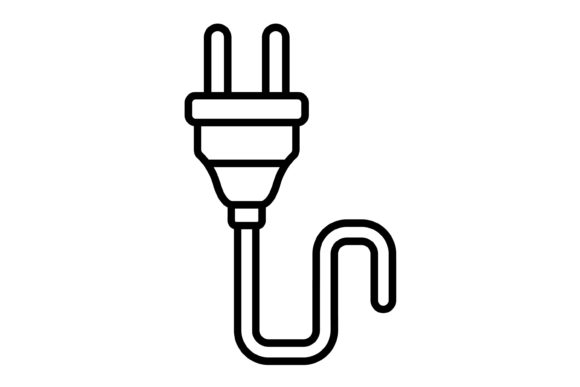
In the daily workflow of digital creators, developers, and business owners, visual consistency is rarely a luxury—it is a requirement for professional execution. The Plug Outline Icon set serves as a foundational asset designed to bridge the gap between a concept and its visual representation. This collection is not merely a set of decorative graphics; it is a comprehensive toolkit intended to integrate directly into the production phase of mobile applications, websites, print media, and corporate presentations. By providing a unified visual language through 100 distinct vector icons, this set addresses the common workflow bottleneck of sourcing, converting, and standardizing graphics across multiple platforms.
Understanding the Asset Structure and File Formats
Effective implementation begins with understanding the technical specifications of your assets. The Plug Outline Icon package is distributed as a ZIP file, but the value lies in the versatility of the contents. It includes five distinct file formats: AI, EPS, JPG, PNG, and SVG. This variety is critical for workflow efficiency. A designer working in Adobe Illustrator will rely on the AI or EPS files for deep editing and scaling, while a web developer requires SVG for lightweight, resolution-independent rendering on high-density screens.
The inclusion of transparent PNGs is particularly significant for rapid prototyping and content creation. When building a presentation or a blog post, the ability to drag and drop an icon without worrying about masking a white background saves considerable time. By offering these formats in a single package, the set eliminates the "format conversion" step that often disrupts the creative process. You are equipped to move from the design phase to the deployment phase without needing external conversion software.
Integration into Development and Design Workflows
For professionals managing complex projects, the utility of an icon set is defined by its adaptability. The Plug Outline Icon collection is designed for maximum usability, meaning the icons are crafted to function effectively at various scales.
Mobile and Web Application Development
In the context of UI/UX design, consistency in line weight and style is paramount. When developing a mobile app or a responsive website, these vector icons can be imported directly into code editors or design environments like Figma and Sketch. Because the set uses an outline style, it pairs well with both minimalist and data-dense interfaces. For a developer, using the SVG format ensures that the icons remain crisp on retina displays and load quickly, which is a crucial factor for site performance and SEO.
Corporate Branding and Presentation
Outside of code, these icons serve as essential tools for brand cohesion. Entrepreneurs and marketers can utilize the JPG and PNG files to enhance slide decks, infographics, and social media graphics. When preparing a pitch or a quarterly review, the visual hierarchy is often supported by icons that guide the viewer's eye. Using a consistent set of 100 icons allows a brand to maintain a specific aesthetic across internal memos and external marketing materials, reinforcing professionalism.
Practical Implementation and Usability
The defining feature of this collection is that the icons are ready to use for all devices and platforms. However, "ready to use" should not imply "static." A key part of the workflow is customization. Because the files are vector-based (AI and EPS), they are fully editable. This allows a designer to adjust the color palette to match specific brand guidelines or modify the stroke weight to fit a unique typographic style.
Consider a scenario where a small business owner is building a new e-commerce site. They need icons for "Cart," "Wishlist," "Support," and "Shipping." Instead of commissioning custom art or stitching together icons from different sources—which often results in a disjointed look—they can source these from the Plug Outline Icon set. The consistency of the design ensures that the user interface feels cohesive, which subconsciously builds trust with the end-user.
Organization and Long-Term Use
For freelancers and agencies, asset management is a critical skill. Downloading a ZIP file is only the first step. To truly integrate these icons into a long-term workflow, it is advisable to organize the files into a central asset library. By categorizing the 100 icons by function (e.g., navigation, communication, commerce), you create a reusable repository. This preparation pays dividends in future projects, as you won't need to search for new assets every time a client requests a UI update.
Scalability and Quality Control
One of the most common pain points in digital design is pixelation. Raster images (like standard JPGs) degrade when enlarged. However, because the core of the Plug Outline Icon set is vector-based, scalability is guaranteed. Whether you are designing a small favicon for a browser tab or a large banner for a trade show booth, the lines remain sharp and clean.
This scalability also aids in the quality control phase of a project. When reviewing designs across different devices—phones, tablets, desktops, and printed materials—designers can be confident that the visual assets will not break. This reliability allows teams to focus on layout and content rather than troubleshooting graphic artifacts.
Conclusion: A Utility for the Modern Creator
The Plug Outline Icon set is more than a collection of graphics; it is a workflow accelerator. By providing 100 vector icons in multiple formats with a transparent background, it removes technical barriers and allows creators to focus on execution. Whether you are a developer coding the next great app, a marketer building a brand identity, or an educator structuring course materials, this set provides the visual infrastructure needed to communicate clearly and professionally. Integrating these assets into your daily toolkit ensures that your visual output remains consistent, scalable, and efficient.